• 8 min read
An aqua vortex shader background in React Three Fiber
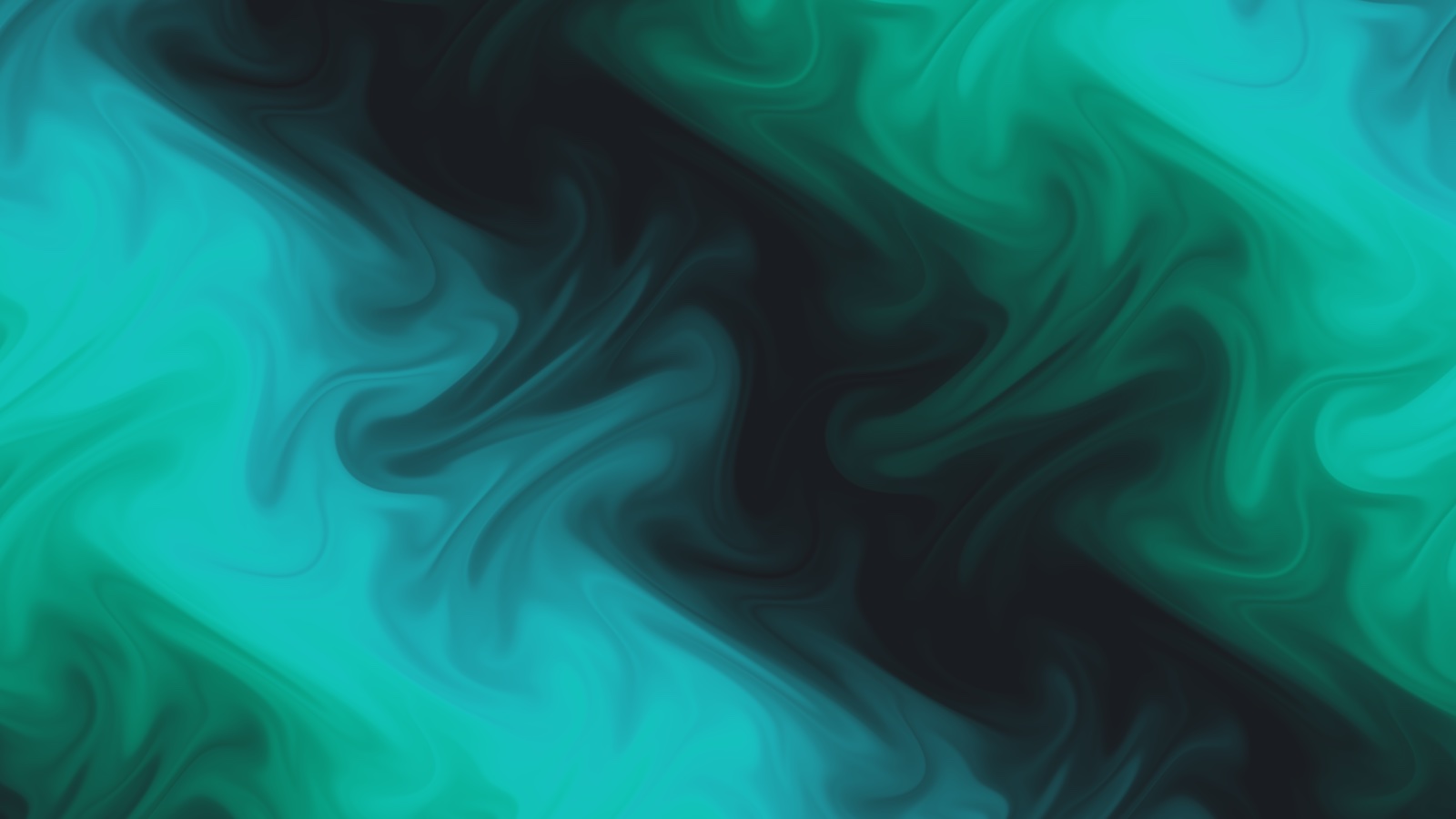
A full-screen fragment shader in a Next.js app with three.js and React Three Fiber, with the maths explained and kept light on phones.
In July 2024 I wrote a tutorial for an aqua vortex shader in a Next.js app. The look was fine. The code wasn’t: later snippets were missing their imports, the resolution was set in two places, and the frame limiter didn’t save any work. It also never said what the shader maths does. This is the rewrite.
It’s one component: a full-screen fragment shader, drawn by three.js through React Three Fiber (R3F), on a Next.js App Router page. I built and tested it with Next.js 16.4.6, React 19.3.0, three 0.187.0, @react-three/fiber 9.8.2 and TypeScript 5.9.3.
Setup
npx create-next-app@latest aqua-vortex --yes
cd aqua-vortex
npm install three @react-three/fiber
npm install -D @types/three
--yes takes the defaults: TypeScript, Tailwind and the App Router. Only the page at the end uses Tailwind classes.
How a full-screen shader works
The GPU runs a fragment shader once for every pixel it draws, and the shader returns that pixel’s colour. To cover the screen, you draw one rectangle that fills it. The vertex shader places its corners, and ours skips the camera: a 2 by 2 plane already spans -1 to 1, the whole screen in clip space, so the corners pass straight through.
The shader
All the code below goes in components/aqua-vortex.tsx, in this order. First the imports and the two shaders:
"use client";

import { useEffect, useRef, useState, useSyncExternalStore } from "react";
import { Canvas, useFrame, useThree } from "@react-three/fiber";
import * as THREE from "three";

const vertexShader = /* glsl */ `
  void main() {
    gl_Position = vec4(position.xy, 0.0, 1.0);
  }
`;

const fragmentShader = /* glsl */ `
  uniform float uTime;
  uniform vec2 uResolution;
  uniform float uPhase[7];

  void main() {
    vec2 p = gl_FragCoord.xy / uResolution.y * 3.5;
    float t = uTime * 0.4;

    for (int i = 1; i < 8; i++) {
      float fi = float(i);
      float phase = uPhase[i - 1];
      p.x += 0.3 / fi * cos(fi * 3.0 * p.y + t + phase);
      p.y += 0.3 / fi * sin(fi * 3.0 * p.x + t + phase);
    }

    vec3 aqua = vec3(30.0, 210.0, 223.0) / 255.0;
    vec3 teal = vec3(0.0, 175.0, 134.0) / 255.0;
    vec3 ink = vec3(25.0, 28.0, 32.0) / 255.0;

    float s = p.x + p.y + 1.0;
    vec3 color = mix(aqua, teal, sin(s) * 0.5 + 0.5);
    color = mix(color, ink, cos(s) * 0.5 + 0.5);

    gl_FragColor = vec4(color, 1.0);
  }
`;
three.js adds the #version line, the precision and the position attribute to every ShaderMaterial, and maps gl_FragColor to a WebGL 2 output, so these can stay short. The old vertex shader declared an in vec2 coordinates that nothing used and computed a fragCoord the fragment shader never read. Both are gone.
The warping loop
p starts as the pixel’s position divided by the canvas height, so the pattern is the same size on a phone and on a monitor. The 3.5 is a zoom: raise it for more, smaller swirls.
The loop is domain warping. Instead of colouring p directly, you bend it first. Each step pushes p.x sideways by a cosine wave that runs along p.y, then pushes p.y by a sine wave along the new p.x. With each step the frequency goes up (fi * 3.0) and the push gets smaller (0.3 / fi), so the first step makes big, slow folds and later ones add finer ripples. Each step bends the output of the one before, so the bends compound. That’s what turns plain waves into something like stirred liquid.
t is time. Adding it inside every wave shifts the waves a little each frame, so the folds drift. The 0.4 is the speed.
The old shader also added uv / 1000.0 in every step. That moves things by a thousandth of a unit, which you can’t see, so I dropped it.
Three colours
After the loop, the bent point is collapsed into one number, s = p.x + p.y + 1.0. On an unbent plane, s would give straight diagonal stripes. The warping turns those stripes into swirls.
Then two mixes. sin(s) * 0.5 + 0.5 maps sine’s -1 to 1 onto 0 to 1 and blends aqua into teal. cos(s) does the same and pulls the result toward ink, a near-black. Sine and cosine are a quarter turn apart, so as s grows the colour goes from ink, to dimmed teal, to a bright aqua-teal blend, to dimmed aqua, and back to ink. Pure aqua and pure teal never show at full strength, because one of the mixes always holds back.
A custom ShaderMaterial skips three’s tone mapping and colour space code, so the values reach the screen as written. The darkest pixel in my test screenshot is exactly 25, 28, 32.
A different vortex on every load
The old version passed in one random seed and hashed it inside the shader with the usual fract(sin(n) * 43758.5453) trick, giving each loop step its own offset. That hash doesn’t depend on the pixel, so every pixel worked out the same seven numbers on every frame. Now JavaScript picks seven random angles once, on mount, and passes them in as uPhase. Each shifts one step’s waves, so every load starts from a different arrangement. The big diagonal bands come from the colour step and stay; the swirls inside them change.
The mesh and the uniforms
function Vortex() {
  const material = useRef<THREE.ShaderMaterial>(null);
  const [uniforms] = useState(() => ({
    uTime: { value: 0 },
    uResolution: { value: new THREE.Vector2() },
    uPhase: { value: Array.from({ length: 7 }, () => Math.random() * Math.PI * 2) },
  }));

  useFrame((state, delta) => {
    if (!material.current) return;
    material.current.uniforms.uTime.value += Math.min(delta, 0.1);
    state.gl.getDrawingBufferSize(material.current.uniforms.uResolution.value);
  });

  return (
    <mesh frustumCulled={false}>
      <planeGeometry args={[2, 2]} />
      <shaderMaterial
        ref={material}
        vertexShader={vertexShader}
        fragmentShader={fragmentShader}
        uniforms={uniforms}
      />
    </mesh>
  );
}
<shaderMaterial> is R3F’s JSX for THREE.ShaderMaterial, and R3F disposes of it on unmount. The uniforms live in useState, so they’re made once. Uniforms are plain { value } objects; the old type: '1f' strings are a leftover from older three.js. three now reads each uniform’s type from the compiled shader and ignores them.
useFrame runs before every frame R3F draws. It adds the time since the last frame to uTime, capped at a tenth of a second so the vortex doesn’t jump after a pause. Then it copies the drawing buffer size into uResolution. gl_FragCoord counts real pixels, not CSS pixels, so it has to be the buffer size, and reading it every frame means it can’t go stale after a resize. This replaces the old version’s two resolution uniforms, one of them doubled by hand.
frustumCulled={false} turns off three’s check of the mesh against the camera, since the vertex shader ignores the camera.
A frame limit that saves work
The old maxFps prop skipped updating the time when a frame came early. R3F still drew every frame, so the GPU did the same work as before.
function Ticker({ fps, running }: { fps: number; running: boolean }) {
  const invalidate = useThree((state) => state.invalidate);

  useEffect(() => {
    if (!running) return;
    const interval = 1000 / fps;
    let last = 0;
    let frame = requestAnimationFrame(function loop(now) {
      frame = requestAnimationFrame(loop);
      const elapsed = now - last;
      if (elapsed < interval) return;
      last = now - (elapsed % interval);
      invalidate();
    });
    return () => cancelAnimationFrame(frame);
  }, [fps, running, invalidate]);

  return null;
}
With frameloop="demand" on the Canvas (below), R3F only draws when asked. Ticker runs its own requestAnimationFrame loop and asks with invalidate(), at most fps times a second. Frame timestamps jitter, and keeping the remainder (elapsed % interval) means a late frame doesn’t push the next one later, so it averages out to fps. Setting last = now throws that leftover away; in one headless run with the browser at 60 frames a second, that version drew about 20. When running is false, nothing asks and nothing is drawn.
Keeping it light on phones
const reducedMotionQuery = "(prefers-reduced-motion: reduce)";

function subscribeToReducedMotion(onChange: () => void) {
  const media = window.matchMedia(reducedMotionQuery);
  media.addEventListener("change", onChange);
  return () => media.removeEventListener("change", onChange);
}

function usePrefersReducedMotion() {
  return useSyncExternalStore(
    subscribeToReducedMotion,
    () => window.matchMedia(reducedMotionQuery).matches,
    () => false,
  );
}

export default function AquaVortex({ fps = 30, className }: { fps?: number; className?: string }) {
  const wrapper = useRef<HTMLDivElement>(null);
  const [onScreen, setOnScreen] = useState(true);
  const reducedMotion = usePrefersReducedMotion();

  useEffect(() => {
    if (!wrapper.current) return;
    const observer = new IntersectionObserver(([entry]) => setOnScreen(entry.isIntersecting));
    observer.observe(wrapper.current);
    return () => observer.disconnect();
  }, []);

  return (
    <div ref={wrapper} className={className} style={{ background: "#191c20" }} aria-hidden="true">
      <Canvas frameloop="demand" dpr={[1, 1.5]} gl={{ antialias: false }}>
        <Vortex />
        <Ticker fps={fps} running={onScreen && !reducedMotion} />
      </Canvas>
    </div>
  );
}
A fragment shader does roughly the same work for every pixel, so the total grows with the pixel count, and phones have a lot of pixels.
- Pixel ratio.
dpr={[1, 1.5]}caps it at 1.5; R3F’s default cap is 2. A 390 by 844 phone screen at 3x is about 3 million pixels. At 1.5x it’s about 740,000, a quarter of the work, and the vortex is soft enough that it doesn’t show. Drawing 30 frames a second instead of 60 halves it again. - Off-screen. Browsers pause
requestAnimationFramein background tabs, not for a canvas you’ve scrolled past. TheIntersectionObserverflipsonScreen, and the ticker stops. - Reduced motion.
usePrefersReducedMotionfollows theprefers-reduced-motionmedia query. When it’s set, the ticker never starts. In demand mode R3F still draws once on mount and on resize, so those visitors get a still vortex, not an empty box. - No antialiasing. One rectangle covering the canvas has no edges to smooth, so
antialias: falseskips the multisampled buffer. - A dark fill. The wrapper’s background is the ink colour, so nothing flashes white before the first frame.
The old manual resize effect is gone too. R3F’s Canvas measures its parent and resizes itself.
Using it
import AquaVortex from "@/components/aqua-vortex";

export default function Home() {
  return (
    <main className="relative grid h-dvh place-items-center overflow-hidden">
      <AquaVortex className="absolute inset-0" />
      <h1 className="relative text-5xl font-semibold text-white">Aqua vortex</h1>
    </main>
  );
}
That’s app/page.tsx. It stays a Server Component. aqua-vortex.tsx starts with "use client", so the vortex, three and R3F are the only client code it adds. The wrapper needs a size; here it fills the main.
What I checked
npm run build passes, type check included, and so does eslint-config-next. Then I loaded the production build in headless Chromium with Playwright:
- On a 390 by 844 screen at 3x, the canvas buffer came out at 585 by 1266, the 1.5 cap.
- With the browser firing 100 to 115 animation frames a second, the vortex drew about 30.
- Scrolled out of view, it drew nothing. Scrolled back, it picked up again.
- With reduced motion on, it drew one frame and stopped.
The cover image is a screenshot from that run. Headless Chromium draws WebGL in software, so these numbers show the limits work, not how fast a real phone is.
The console shows one warning: THREE.Clock: This module has been deprecated. three deprecated Clock in r183 and R3F 9.8.2 still creates one internally. It’s harmless and not from this code.
At RayLabs we also make Future UI, which packages animated backgrounds like this one as React components. They talk to WebGL 2 or a 2D canvas directly instead of going through three.js, but follow the same habits: pixel ratio capped at 2, nothing drawn while off-screen.