• 5 min read
How GoPayLocal is open source and hosted from one codebase
One setting turns the hosted service into a self-hosted one. What changes, what stays the same, and how Pro's own price is set with GoPayLocal.
GoPayLocal shows each visitor to your website a discount for their country’s purchasing power, and creates the matching code at your payment platform. You can use it at gopaylocal.com, or run the same code on your own Cloudflare account. This post is about how one codebase does both, and the few places where the two differ.
Two licenses, split by folder
The repo holds two kinds of code. Some of it runs on your website: the banner script, the JavaScript SDK and the React SDK. The rest is the service: the API Worker, the dashboard, the admin app, the docs and the marketing site.
They have different licenses:
packages/is MIT. You put the banner and the SDKs inside your own site or app, so embedding them puts no obligation on your code. Closed source and commercial are both fine. The one condition is keeping the MIT notice in the copies you ship.apps/is AGPL-3.0-only. If you run a modified copy of the service for other people, you share your changes, the same way I share mine.
Calling the hosted API from your site doesn’t bring your site under the AGPL. Running the service unmodified, or changing it for use only inside your own company, doesn’t ask anything of you either. LICENSING.md walks through each case in plain language.
One switch
Self-hosting isn’t a separate edition. It’s one Worker variable, SELF_HOSTED="true".
With it set, every organization is unlimited, the “Powered by GoPayLocal” link on the banner is off, and billing is switched off. Checkout and the billing portal answer 404 with billing_disabled, and the dashboard hides the Billing tab and its upgrade prompts. You don’t need a Dodo Payments account at all.
Everything else is the same code. Plans differ in limits, never in features: VPN detection, A/B tests, holiday deals, local currencies, charm pricing and all nine payment integrations are on Free, on Pro and on a self-hosted copy.
Where the plan gets decided
The easy way to get this wrong is to check SELF_HOSTED in twenty places and the subscription in twenty more. Sooner or later two of them disagree, and someone gets Pro limits they didn’t pay for, or loses the ones they did.
So there’s one function, resolveEntitlements, and everything that cares about limits or branding asks it: the product cap, the API-call quota, team size, analytics history and the branding link on the banner. Nothing reads the plan stored on a subscription directly.
The self-hosted check comes first and short-circuits the rest:
export function isSelfHosted(env: DeploymentEnv | null | undefined): boolean {
  return env?.SELF_HOSTED?.trim().toLowerCase() === "true";
}

if (isSelfHosted(env)) {
  return {
    plan,
    selfHosted: true,
    limits: { ...SELF_HOSTED_LIMITS },
    showBranding: false,
    billingEnabled: false,
  };
}
On the hosted service, the plan comes from the subscription’s status, not from the fact that a subscription exists:
switch (sub.status) {
  case "active":
    return stored;
  case "canceled":
  case "cancelled":
  case "past_due":
  case "on_hold":
    return periodActive ? stored : "free";
  case "expired":
  default:
    return "free";
}
If you cancel Pro, you keep it until the end of the month you already paid for, then drop to Free. The same goes for a failed payment while Dodo retries it. An expired subscription, or a status the code doesn’t recognise, never keeps paid limits.
There’s one more case, for testing. A subscription bought in Dodo’s test mode only counts while the API itself runs in test mode. Once the hosted service runs live, test webhooks stop arriving, and without that check a test purchase would stay Pro forever.
What the plans are
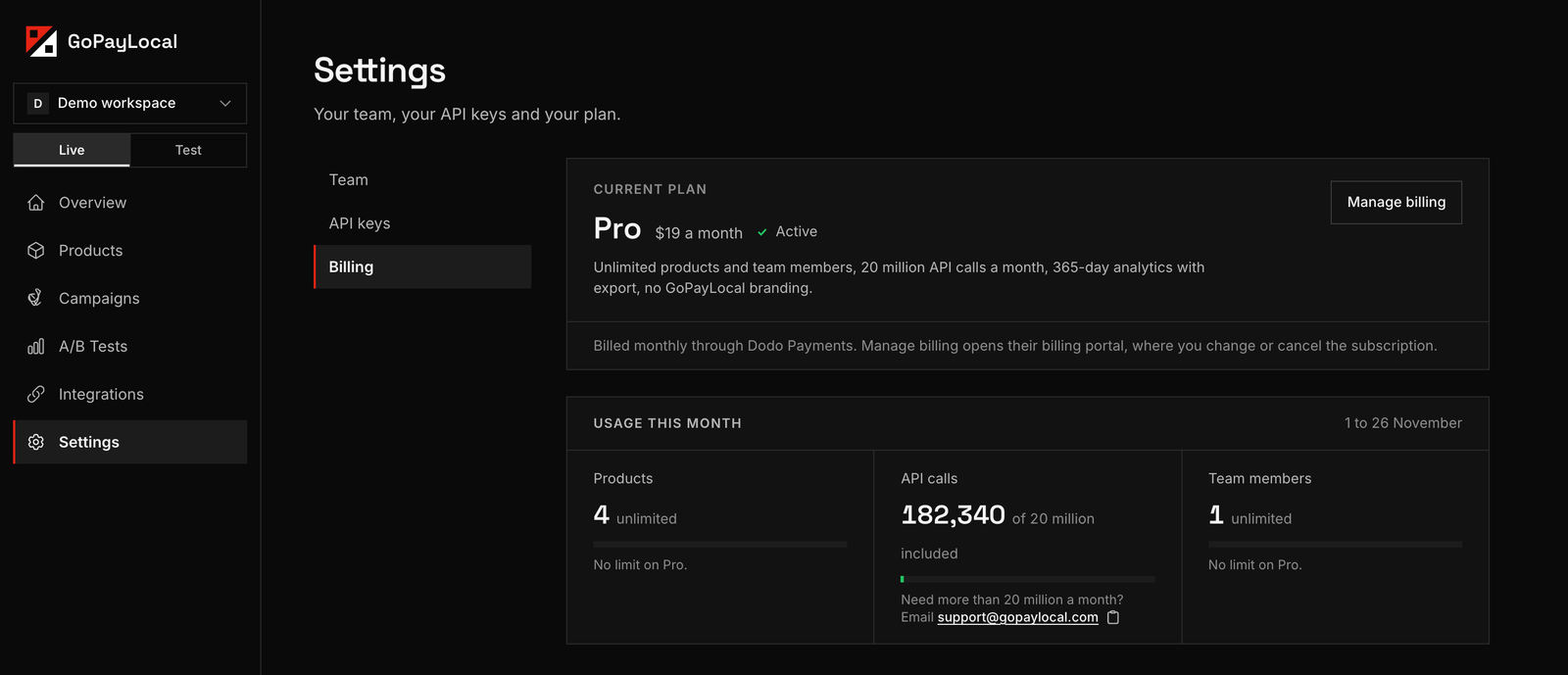
| Free | Pro | Self-hosted | |
|---|---|---|---|
| Products | 1 | Unlimited | Unlimited |
| API calls a month | 10,000 | 20 million, contact us for more | Unlimited |
| Team members | 1 | Unlimited | Unlimited |
| Analytics history | 7 days | 365 days | Everything in your database |
| Branding link on the banner | Shown | Removed | Removed |
These numbers live in one file, packages/shared/src/constants/index.ts, and the website’s pricing table and comparison pages read them from there, so the marketing copy can’t drift from what the API enforces.
Free’s cap is real. Past 10,000 calls in a month, the banner endpoint answers quota_exceeded instead of an offer, and the banner stays hidden until the next month or until you upgrade. Pro’s 20 million is not enforced. Past it, an alert shows up for me in the admin app and the banner keeps working. That’s why the site says “20 million API calls a month, contact us for more” and never “unlimited”.
What you take on when you self-host
Self-hosting gets you no limits, but you run it:
- Your Cloudflare account, your Postgres database (15 or newer), backups, upgrades and monitoring.
- Sign-in through Google or GitHub OAuth apps you create. Public email sign-up is off, on both hosted and self-hosted.
- The daily VPN data refresh. The Worker’s own cron can’t finish it on Workers Free, so there you use the same GitHub Actions job the hosted service uses, or build the data on your computer and upload it.
- CPU limits. I haven’t measured GoPayLocal against Workers Free’s per-request CPU limit, and some requests do real work, like decrypting a stored payment-platform key. The docs say to use Workers Paid for anything beyond a trial.
- Fewer emails. A self-hosted copy sends only team invitations and the “your payment platform refused this key” email, and only if you set up your own Azure Communication Services resource. Invitation links can always be copied from the dashboard.
A self-hosted copy contacts GoPayLocal’s servers for nothing. It talks to the payment platforms your users connect, with their own keys, to Google and GitHub at sign-in, to the public VPN and Tor lists, and to exchange-rate feeds, which you can point at your own or turn off. The one thing to remember is the SDKs: they call api.gopaylocal.com unless you pass apiBase. The banner script tag calls whichever API served it.
Pro is priced with GoPayLocal
Selling a PPP tool at one price everywhere would be a bit silly. So Pro’s price comes from GoPayLocal itself.
There’s a campaign in an internal workspace, set up like any merchant’s, that sets each country’s discount, capped at 70%. A sync job turns those discounts into Localized Pricing rules on the Pro product at Dodo Payments, one per country, and Dodo charges the regional price by billing country. No codes involved.
The website’s Pro card and the dashboard’s Billing page don’t work that price out themselves. They show what the sync recorded after its last run, through GET /v1/pricing/pro. So the price you see is the price Dodo charges. If they were worked out separately, a buyer in Brazil could see one number on the site and pay another at checkout. Reading the recorded price rules that out.
Charm pricing rounds each price down, never up, so the “70% off” on the card is never more than the real discount. When no charm price fits within 8% below the exact one, the price stays exact. The campaign gets no holiday deals or A/B tests, because Dodo wouldn’t charge them, and Dodo’s own PPP setting stays off, or the price would be discounted twice.
Merchants on Dodo can do the same thing with their own products: a campaign can deliver its discount as country prices at Dodo instead of codes. It’s the Prices at Dodo tab on a campaign. It grew out of the Pro pricing work.
The code is on GitHub, and the self-hosting guide covers the setup step by step.