• 7 min read
What Yasu can and cannot tell from HRV
How Yasu turns a few heart readings a day into one stress number against your own usual, and where that number stops being useful.
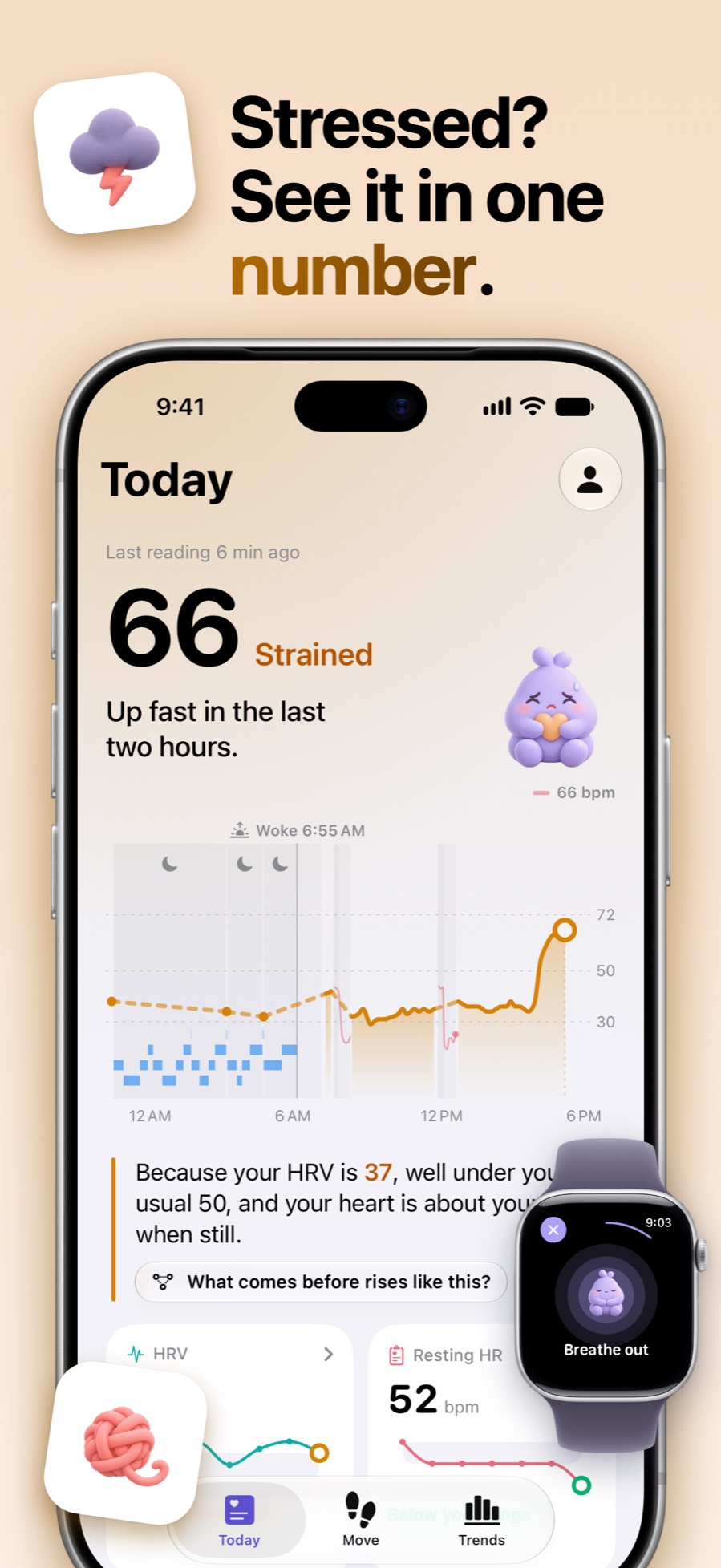
Yasu is an iPhone and Apple Watch app with one job: see your stress, bring it down. It takes the heart readings your Watch already records and turns them into one number from 0 to 100, called Load, measured against your own usual. When Load rises, one tap says what it was. When it’s high, 90 seconds of paced breathing is right there.
The hard part is being honest about what a wrist can know. Here’s where the number comes from, what else moves it, and what it can’t tell you. Yasu is for everyday well-being, not a medical device, and it doesn’t diagnose anything.
What it reads
For Load, Yasu reads these from Apple Health, if you allow it: heart rate variability (HRV) with the heartbeats behind each reading, heart rate, resting heart rate, sleep, workouts, steps and mindful minutes.
HRV is how much the gaps between heartbeats change. At 60 beats a minute the gaps aren’t all one second. One might be 0.95, the next 1.04. A settled body usually varies more. Under strain the beats get more even.
The Health app shows SDNN, the overall spread of the gaps across a reading of about a minute. Yasu works out RMSSD instead, the change from one beat to the very next, from the beat times Apple saves with each reading. On newer watches that record Apple’s own beat-to-beat figure, Recovery HRV, Yasu uses that. SDNN is only the fallback, and the kinds never share a baseline.
They can be far apart. One morning in October the Health app showed 102 ms for one of my readings. The sensor had lost the pulse twice, and my heart slowed from about 92 to 72 bpm within that minute. Both inflate an overall spread far more than a beat-to-beat one. From the same beats, Yasu got about 34.
Yasu also cleans the beats first, dropping intervals that jump too far from their neighbours. If fewer than 20 clean differences are left, the reading gets no value. A blank beats a wrong number.
A few readings a day
This is the biggest limit, and no code fixes it. Apple decides when the Watch takes an HRV reading. Most watches take one every few hours, and only while you’re still. The newest models read far more often. No third-party app can ask for one. My own Watch took seven in one 48-hour stretch in October.
Heart rate comes much more often, so between HRV readings Yasu follows it. At most every ten minutes, a heart-rate sample taken while you’re still becomes a reading of its own. “Still” is strict: on 90 days of my own data, only about five to seven samples a day passed. Most fell during or just after workouts, and most of the rest while walking.
Every number says when it was taken, and one from before this morning’s wake turns grey.
Your own usual
HRV varies a lot from person to person. An HRV of 40 ms can be calm for one person and strained for another, so Yasu never compares you with anyone else.
Each HRV reading taken at rest is compared with your readings from the 28 days before it, on a log scale, using the median and the middle half. The heart rate beside it is compared with your usual heart rate when still, with a spread of at least 5 bpm so ordinary sensor error doesn’t turn into Load.
Yasu reads 90 days of Health history, so if you’ve worn a Watch for a while your usual is already there. With a new Watch, Load starts after about four hours of still heart rate, usually on day one, and is marked Early for your first seven days with readings.
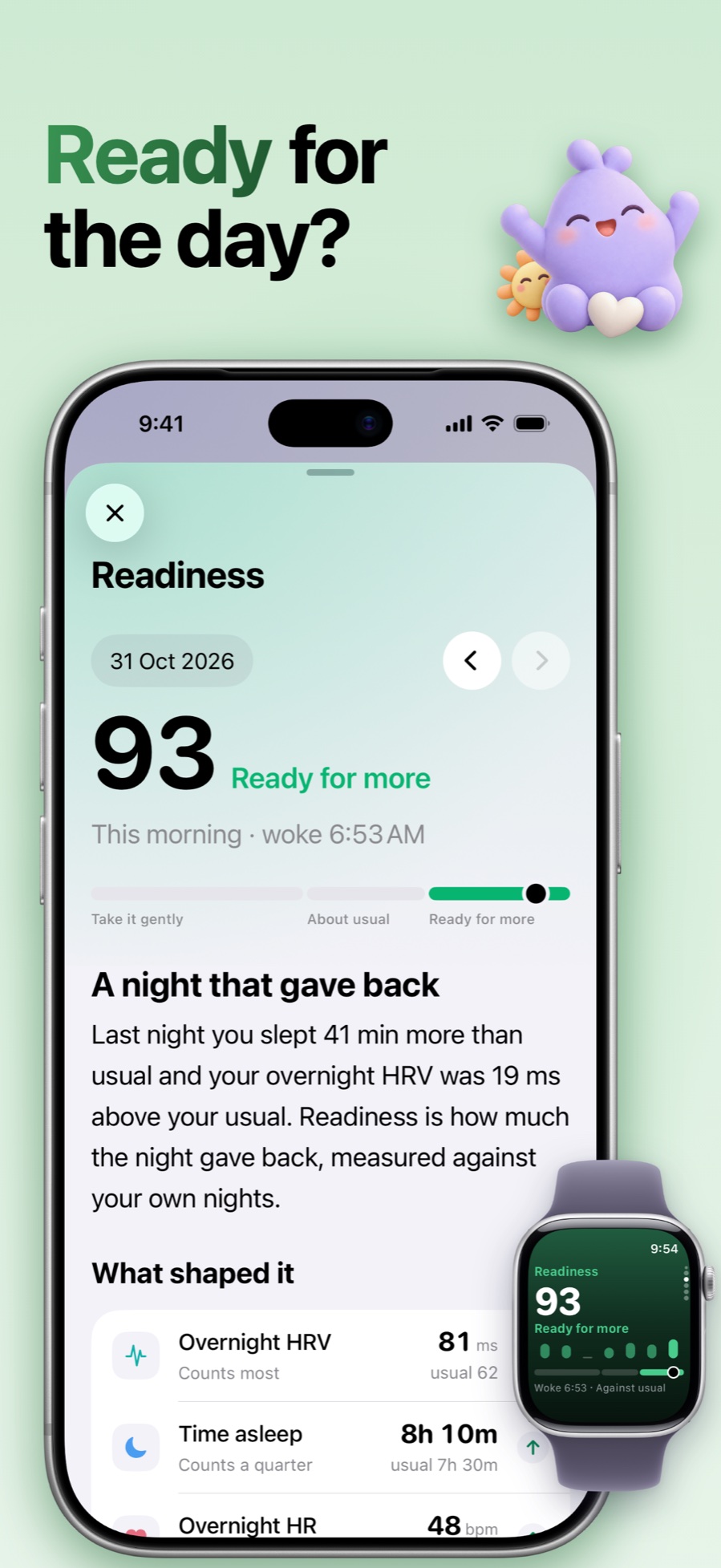
Readings taken asleep never count toward Load. They feed a separate morning number, Readiness.
One number
HRV carries 70% of the weight and heart rate 30%. Lower HRV and a higher heart rate than usual both push Load up. Simplified:
// How far this reading sits from your usual, in your own spreads.
let z = -0.7 * hrvZ + 0.3 * heartZ

// Straight lines between fixed points. Your usual scores 40.
let knots: [(z: Double, load: Double)] =
    [(-3, 0), (-0.65, 30), (0, 40), (0.65, 50), (1.3, 72), (3, 100)]

func load(_ z: Double) -> Double {
    let z = max(-3, min(3, z))
    for (a, b) in zip(knots, knots.dropFirst()) where z <= b.z {
        return a.load + (b.load - a.load) * (z - a.z) / (b.z - a.z)
    }
    return 100
}
Below 30 is Recovered, 30 to 49 Steady, 50 to 71 Strained, 72 and up Overstrained. For a stable person, Strained starts at about the least-good one in six of their own readings, Overstrained at about one in forty. Each new reading is blended with the one before, and the longer since the last HRV reading, the more the new one counts.
Those lines are choices, borrowed from conventions in sports science and lab medicine. No study shows where they should sit to match how people feel, and the app’s own explainer says so.
What moves it besides stress
A lot. A hard workout earlier in the day, coffee, a cold, a short night, a big meal, a hot room. Standing up and talking change your heart and spoil a wrist HRV reading. Heart rate rises with excitement as well as stress. Load says your body is working harder than usual. It doesn’t know why.
Some of this Yasu leaves out. Readings asleep, in the hour after you wake, or while you’re moving (by steps or the Watch’s own motion flag) don’t count. Neither does anything from a workout’s start until your heart settles after it, or a heart rate more than 30 bpm above your usual when still.
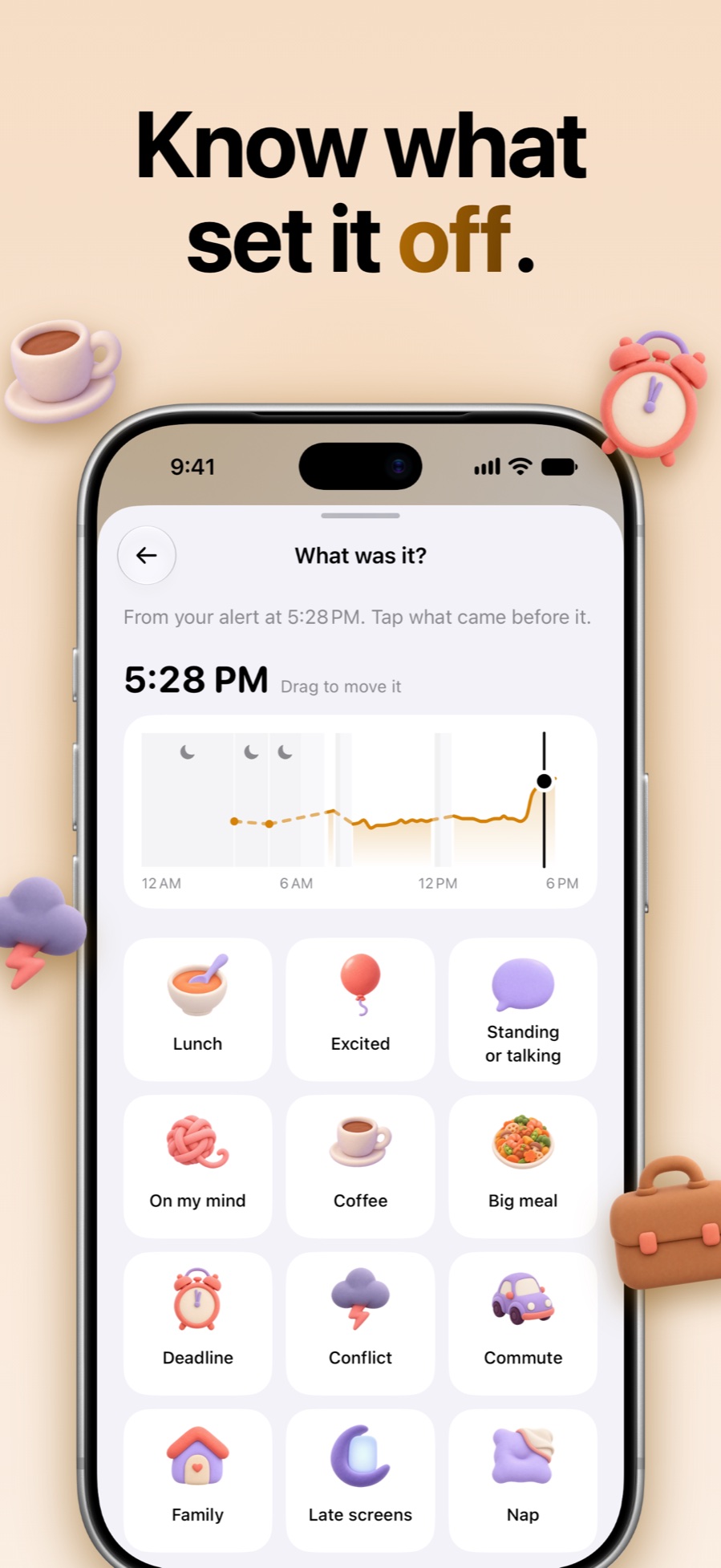
The rest it can’t. So when Load rises, Yasu asks “What was it?” Three answers sit near the top, Excited, Standing or talking and On my mind, then tags like Coffee, Deadline and Commute. Standing or talking marks a measurement effect. Excited is never counted as stress. Answers never change the number.
Two more limits. Your usual covers the whole awake day, so a 9 PM reading is compared with all your still readings, not just your evenings. And Yasu doesn’t try to spot illness. A cold just reads as a busier body.
Keeping false alarms down
Being told you’re stressed when you’re calm is a common complaint in reviews of stress apps, so most of the tuning went here.
In September a reading of 41 ms against my usual 46 showed Strained, and I felt fine. On the curve I had then, about two in five raw readings came out Strained or worse for a body that hadn’t changed. That’s when the scale above replaced it. Earlier that day, a single heart-rate reading 55 minutes after waking and 22 minutes before a workout had read Strained, and was still on screen after the workout. That morning led to a rewrite: the hour after waking left out, one workout window everywhere, and heart rate alone held back.
Heart rate alone is now held within Steady. It can keep a state an HRV reading set in the past six hours, but it can’t create one. When your heart stays well above usual while you’re still, Yasu calls it a Heart up and asks what it was instead of calling it stress. That has a cost. The day before, heart rate alone had caught real stress after a short night. Under today’s rules that morning would show Steady and a question, not an alert.
A stress alert needs two readings at 72 or above, 5 to 30 minutes apart, the newest no older than 15 minutes. Quiet hours are on by default, and nothing alerts on the first day. “Doesn’t feel right” on an alert raises your alert line a point, up to 80. It never moves the states.
The 90 seconds
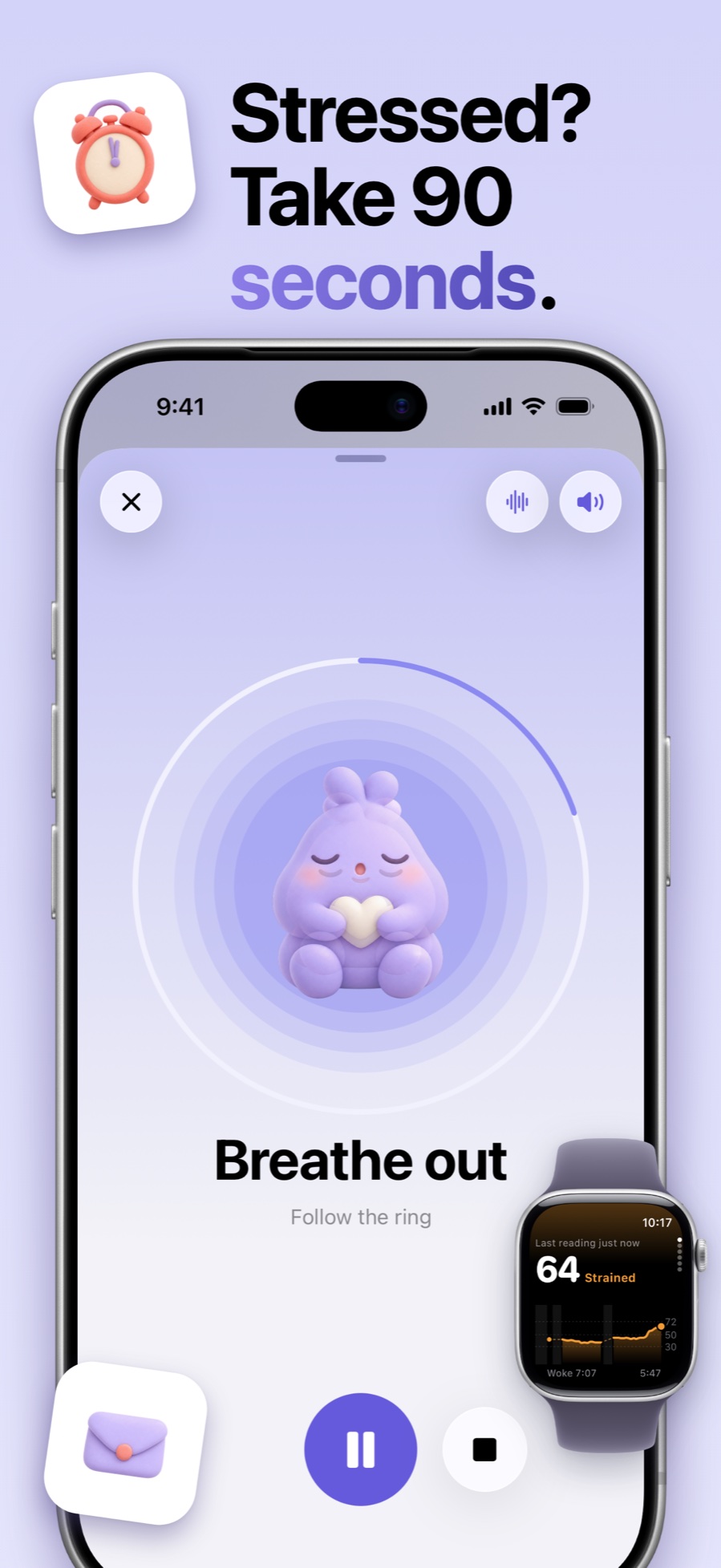
The Reset is paced breathing: Calm (4 seconds in, 7 out, about 5.5 breaths a minute), Box or Sigh. It runs 90 seconds by default, or 3 or 5 minutes on the iPhone, and keeps going with the screen locked, guided by sound.
Slow breathing lifts HRV while you do it, so readings during a Reset and the five minutes after are kept out of Load and your baseline.
Afterwards there’s a receipt: the reading before, and the first HRV reading 3 to 15 minutes after. Since Apple picks when that happens, a Reset often gets no after-reading, and the receipt says so instead of inventing one. Where both exist, Trends counts how often Load came down and adds “An observation, not proof.” The session’s code opens with a comment saying the same: no health change is inferred from completion.
Where the data lives
All of this runs on your iPhone and Watch. There’s no account, no server of ours, and no network code of the app’s own. The Watch keeps only about a week of Health data, so the phone sends it 37 days of history directly over Apple’s phone-to-Watch link, and both work out the same number.
The one outside service is RevenueCat, which confirms purchases. It also gets a few usage facts, like how many Resets you’ve done, and never a health value, a reading or a Load. iCloud Backup and Health in iCloud, if you use them, are Apple’s. The privacy page lists all of it.
What it can’t tell you
- Why your body is busy. That’s what the tap is for.
- How you feel. Check-ins sit beside the numbers without changing them.
- Anything medical. It doesn’t diagnose, detect conditions or measure cortisol.
- How you compare with anyone else.
- What happened between the readings your Watch didn’t take.
What it can do is notice when your body is working harder than your own usual while you’re still, say how old and how sure that is, and ask you about it. That’s a smaller promise than most stress scores make. I think it’s one the data can keep.